Articles about satellite phones, equipment and satellite communications.
Inmarsat, Iridium, Thuraya, Globalstar
Setup and usage of Inmarsat IsatPhone 2 for internet connection.
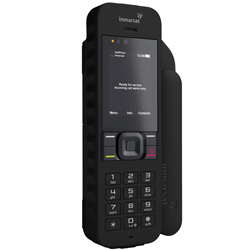
The IsatPhone 2 satellite phone is an excellent communication device with data transmission capability. In this article, we will look at how to configure the phone and computer for data transmission. Internet connection is made by connecting the phone to a personal computer via the USB cable included in the package.
The connection speed is quite limited and is suitable only for working with email and transferring small files. Browsing web pages may be problematic. For the best possible use of the internet connection, be sure to disable all applications and programs that may try to access data or go online in the background (such as Skype, weather apps, automatic updates, etc.). Also, for internet connection, the signal on the phone must be at least 60%. Data transmission is charged per minute and equals the cost of a regular call to any mobile or landline phone worldwide = 1 unit per minute.
It is highly recommended to use optimized applications for low-speed internet, such as the Skyfile Mail email client. This optimizes data transfer speed and reduces the cost of using the internet connection.
The first thing you need to do is install the Inmarsat drivers on your computer. They are located on the branded USB flash drive included with the phone, or you can download them from: http://www.inmarsat.com/support/isatphone-2-support/
Quick Setup:
1. Install the USB drivers on your PC. Run the USB drive supplied with your phone, load the USB drivers and read the “How to install USB drivers” guide. They can also be downloaded from http://www.inmarsat.com/support/isatphone-2-support/
2. Place the phone on its side, point the antenna upward and make sure the phone is ready for operation.
3. Connect the phone to the PC using the USB cable.
4. Determine the COM port of the modem to which the phone is connected in data transfer mode. You will need the COM port number for the data transfer application. Go to Control Panel → Phone and Modem → Modems tab. You will see “IsatPhone 2 Modem” and the COM port it is connected to (e.g. COM6).
5. If not already done, install the selected data transfer application and follow the on-screen instructions. The steps above need to be performed only once. For subsequent connections, simply launch the data transfer application and follow the on-screen instructions.
Dial-up number: 28. Username and password (in capital letters): INMARSAT.
If you encounter problems during quick setup, you will need to perform the full setup. Below is a detailed instruction for full setup and driver installation to use the IsatPhone 2 as a modem.
The phone antenna must be fully open and pointed vertically at the sky. It is highly desirable to have a clear view of the open sky without obstacles. You can simply lay the phone on its side and adjust the antenna so that it points straight up.